Ecommerce Website Accessibility: A Practical Guide

Ecommerce accessibility means your store works for people using screen readers, keyboards, zoom, or captions. Target WCAG 2.2 Level AA, fix the handful of failures behind most errors (low contrast, missing alt text, unlabeled form fields), and test the checkout path by keyboard. It widens who can buy and lowers legal risk. It is practical work, not a compliance badge.
Accessibility Quick Wins That Also Help Conversion
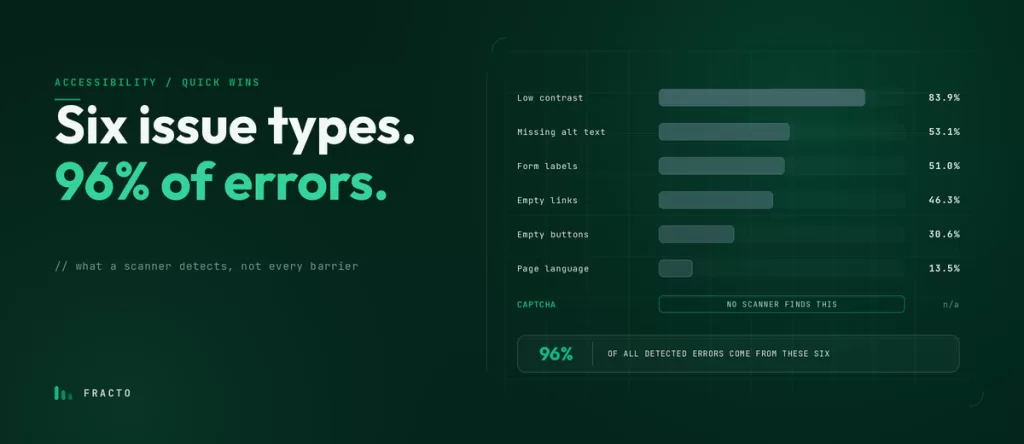
Six issue types cause 96% of the accessibility errors automated scans detect: low contrast, missing alt text, unlabeled form fields, empty links, empty buttons, and missing page language. Fix those, add CAPTCHA to the list because scans miss it, and test checkout by keyboard. Most of these are plain usability fixes that help every shopper, not only assistive-tech users.
Is My Shopify Store ADA Compliant?
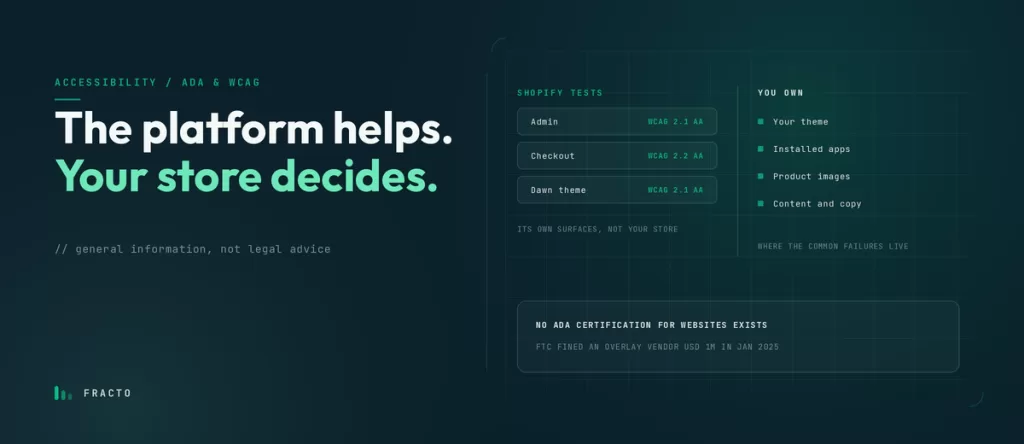
Shopify tests its own admin, checkout, and Dawn theme, but your theme, apps, images, and content decide whether shoppers can use your store, so Shopify alone does not make you ‘ADA compliant’. There is no ADA certification for websites. Target WCAG 2.2 Level AA and test checkout by keyboard and screen reader. Not legal advice.
Ecommerce Homepage Design: What Actually Converts
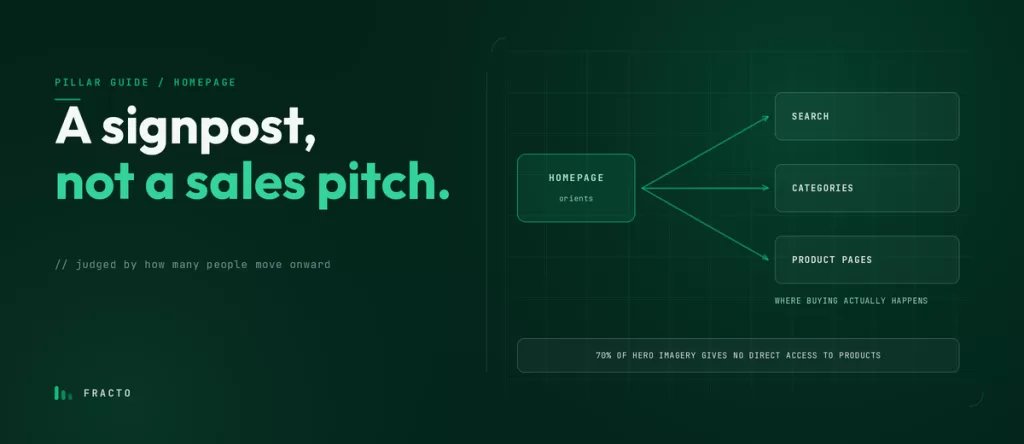
A good ecommerce homepage tells a first-time visitor what you sell, who it’s for, and where to go next, fast. Its job is to route people into categories, search, and key products, not to sell everything at once. Lead with clear value and navigation above the fold, build trust, and keep it fast and clean on mobile.
What Should an Ecommerce Homepage Include?
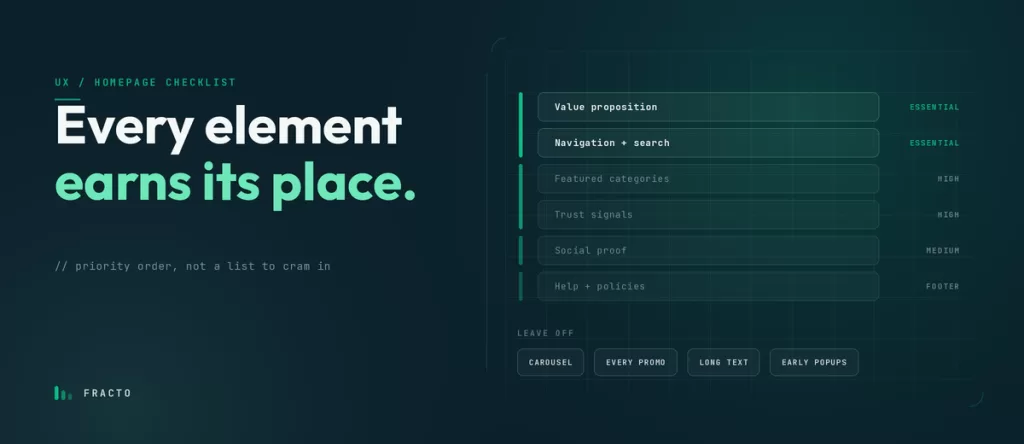
An ecommerce homepage should include, in priority order: a clear value proposition, primary navigation and search, featured categories or products, trust and social proof, and easy access to help and policies. Lead with what helps a first-time visitor understand the store and find a way in; push supporting detail lower or into the footer.
Above-the-Fold Homepage Best Practices for Ecommerce

Above the fold is the part of your homepage a visitor sees before scrolling, your one guaranteed impression. Use it to say what you sell and who it’s for, show navigation and search, and give one clear next step. Keep it fast and clean on mobile, and resist the urge to cram promotions and carousels into it.
How Many Categories Should an Ecommerce Store Have?
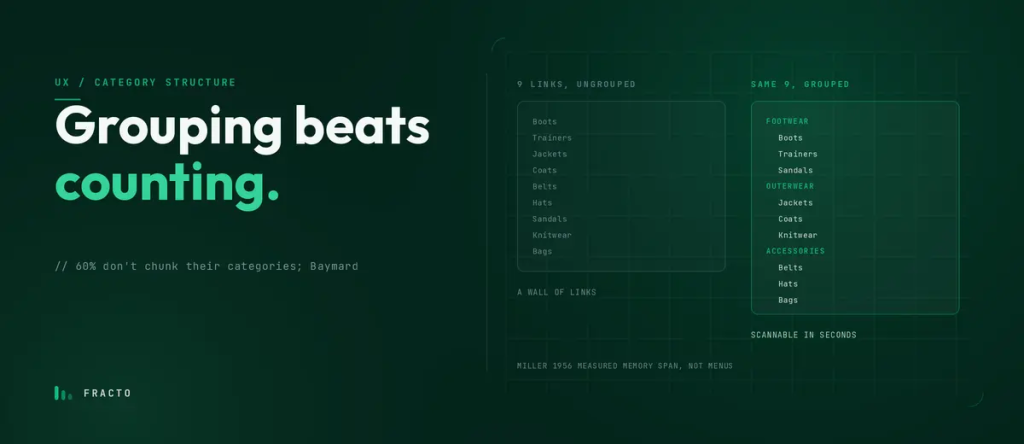
Have as many categories as it takes to cover your range without overwhelming the menu, usually a short set of top-level categories with subcategories carrying the detail. Group products by how customers shop, keep the structure shallow, and let search handle the long tail. The right number follows the catalog, not a fixed rule.
Mega Menu vs Simple Navigation: Which Should You Use?
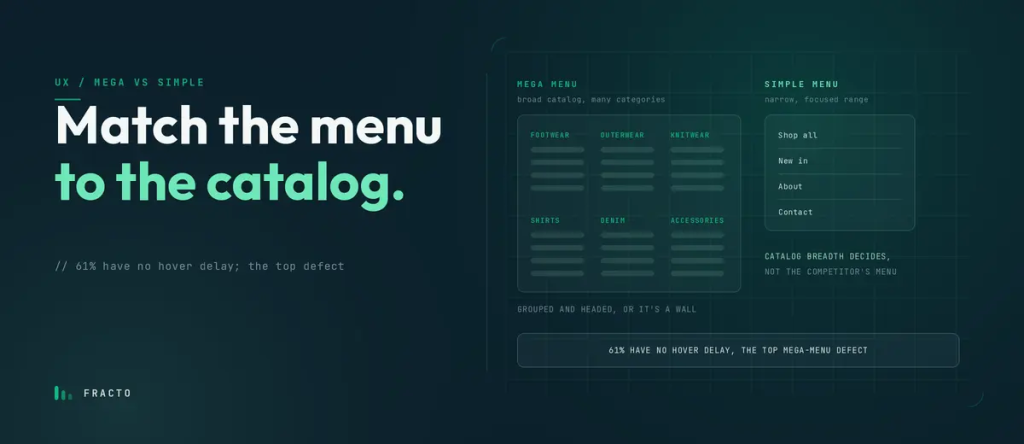
Choose a mega menu when you have a broad catalog with many categories and subcategories to surface at once, and a simple dropdown when your range is narrow. The decision is driven by catalog breadth and how shoppers browse, not by what a larger competitor happens to use. Either way, it must work cleanly on mobile.
Ecommerce Navigation: Menus That Help People Buy
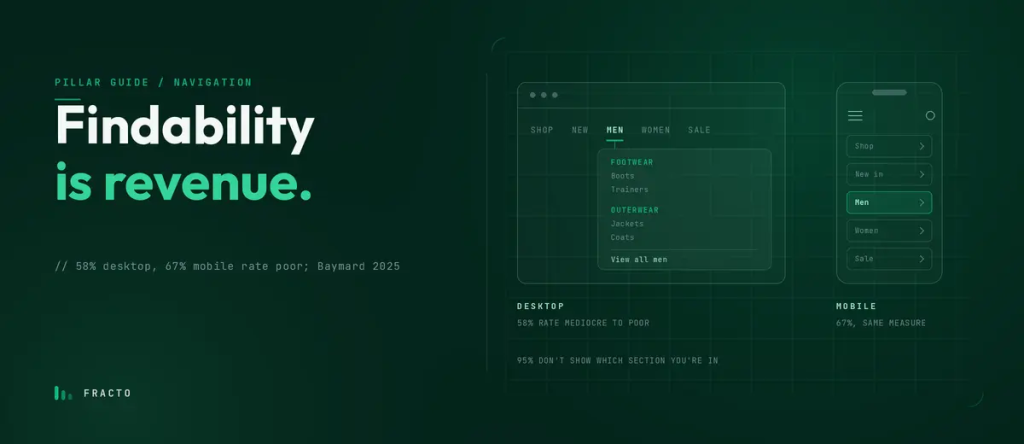
Good ecommerce navigation gets a shopper from any page to the product they want in as few clear steps as possible. Use plain category labels your customers would recognize, keep the structure shallow, make it work on mobile, and pair it with visible search. Navigation is findability, and findability is revenue.
Zero-Results Searches: Turning Dead Ends Into Sales

A zero-results page appears only when a shopper actively searched and found nothing, so it hits your highest-intent visitors. Never show a blank dead end. Acknowledge the miss, suggest corrected spellings and related products, keep search and navigation visible, and fix the underlying causes: missing synonyms, typos, and unsearchable product fields.