WooCommerce / CRO
Why Your WooCommerce Store Gets Traffic but No Sales
// traffic is not the problem; the path to buy is

By Fracto Solutions
September 7, 2026
The short answer
If your WooCommerce store gets traffic but no sales, the cause is almost always a fixable problem in the buying path, not a lack of visitors. The usual WooCommerce culprits are slow hosting and plugin bloat, a clunky multi-step checkout, broken or missing tracking, and weak product pages. Diagnose which one is yours before changing anything.
If your WooCommerce store gets traffic but no sales, the cause is almost always a fixable problem in the buying path, not a lack of visitors. The usual WooCommerce culprits are slow hosting and plugin bloat, a clunky multi-step checkout, broken or missing tracking, and weak product pages. Diagnose which one is yours before changing anything.
Traffic without sales is frustrating, and on WooCommerce it’s rarely a mystery. Because WooCommerce is self-hosted and built on plugins, it has a few failure points that hosted platforms don’t, and those are usually where the sales leak. This guide walks through the common WooCommerce-specific causes, how to tell which is yours, and how to fix the right one instead of guessing. It’s the WooCommerce companion to our Shopify guide on the same problem.
Why does a WooCommerce store get traffic but no sales?
Because something in the buying path is stopping ready visitors from completing a purchase. With WooCommerce specifically, that’s often a technical issue (speed, plugins, tracking) on top of the usual conversion frictions.
The visitors arriving are, in most cases, reasonably interested, they clicked through for a reason. So if almost none of them buy, the problem is usually between arrival and checkout, not the traffic itself. WooCommerce adds a technical dimension here that hosted platforms like Shopify handle for you: because you control the hosting, the theme, and every plugin, you also own the ways those can slow or break the buying path. The good news is that makes the causes concrete and fixable once you find the right one.
- Why a WooCommerce store leaks sales
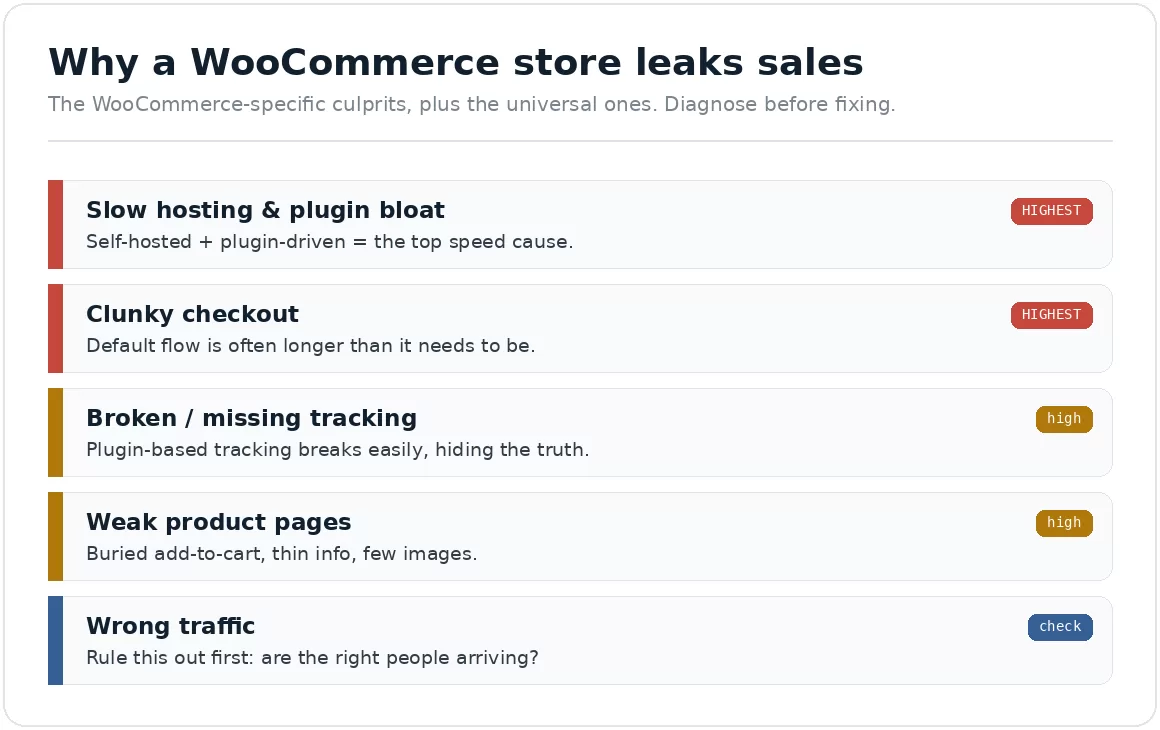
The WooCommerce-specific culprits plus the universal ones. Diagnose before fixing.
Is it a traffic problem or a conversion problem?
Check whether your traffic is relevant before blaming the store. If the right people are arriving and still not buying, it’s a conversion problem, which is the common case.
Before diagnosing the store, rule out a traffic-quality issue. Look at where your visitors come from and whether they match your offer: a flood of low-intent clicks converts poorly no matter how good your store is. But if you’re getting relevant traffic (people searching for what you sell, or well-targeted visitors) and still seeing few sales, the issue is conversion, something in the experience is losing them. Most stores with this complaint have a conversion problem, not a traffic one, which is diagnosable with free tools. The method mirrors our Shopify diagnostic in how to diagnose Shopify conversion issues; the logic is the same for WooCommerce.
Is slow hosting or plugin bloat killing my conversions?
Very possibly, this is the most WooCommerce-specific cause. Because WooCommerce is self-hosted and plugin-driven, slow hosting and too many plugins are a leading reason stores load slowly and lose sales.
Site speed strongly affects both conversion and rankings, and WooCommerce stores are especially prone to speed problems for two reasons. First, hosting: on a cheap or overloaded shared host, pages load slowly no matter how well the store is built. Second, plugin bloat: every plugin adds code, and WooCommerce stores often accumulate dozens, each adding scripts that drag down load times. Aim for Google’s Core Web Vitals thresholds, Largest Contentful Paint under 2.5 seconds, Interaction to Next Paint under 200 milliseconds, Cumulative Layout Shift under 0.1, measured on real users. If you’re far off, hosting and plugins are the first place to look. The full method is in WooCommerce speed optimization.
Is my WooCommerce checkout the problem?
Often, yes. Checkout is where the most committed buyers are lost across all ecommerce, and WooCommerce’s default checkout can add friction that a streamlined one removes.
Why shoppers abandon at checkout
Reason
Share citing it
Extra costs too high (shipping, tax, fees)
40%
Delivery was too slow
20%
Didn't trust the site with card details
19%
Site wanted them to create an account
18%
Checkout too long or complicated
17%
Source: Baymard Institute, cart abandonment research. Excludes shoppers who were only browsing, who are the largest group overall but were never going to buy on that visit. Respondents could pick more than one reason, so these do not sum to 100%. Baymard revises this page periodically and a later revision reports slightly different splits (39%, 21%, 19%, 19%, 18%); re-check the live page and record the date you verified it.
The universal checkout truths apply to WooCommerce as much as any platform. Across studies, the top reasons shoppers abandon at checkout (excluding those just browsing) are unexpected extra costs (cited by 40%), delivery being too slow (20%), card-security distrust (19%), being asked to create an account (18%), and a checkout that’s too long or complicated (17%). WooCommerce’s default flow can be longer than it needs to be, and stores often leave it unoptimized: extra fields, no guest checkout, or too many steps. Streamlining it, showing costs early, enabling guest checkout, cutting fields, is usually high-return work. Detail in WooCommerce checkout optimization, and the cross-platform principles in the checkout optimization framework.
Could broken tracking be hiding the real picture?
Yes, and it’s easy to miss. On WooCommerce, analytics and conversion tracking depend on correct plugin and tag setup, and when that breaks, a healthy store can look broken (or a broken one look fine).
This is a quiet but common WooCommerce issue. Because tracking is wired up through plugins and manual tag setup rather than handled natively, it’s easy for it to be misconfigured, orders not firing, events double-counting, or data missing entirely. If your tracking is wrong, you can’t trust any diagnosis built on it, and you might “fix” things that were never broken. So before optimizing, confirm your analytics actually reflects reality: place a test order and check it registers correctly. Getting measurement right first is the foundation of any real conversion work, which is why accurate tracking is a service in its own right.
Are weak product pages losing the sale?
Frequently. Even with fast hosting and a clean checkout, a product page that doesn’t build confidence, clear add-to-cart, strong images, complete information, social proof, loses shoppers at the moment of decision.
The product page is where buying intent is won or lost, and this is platform-independent. On WooCommerce, some themes produce cluttered or slow product pages, and stores sometimes leave default layouts that bury the add-to-cart or skimp on images and information. The fixes are the same as anywhere: make the add-to-cart obvious, show the product clearly with multiple images, answer every question (sizing, shipping, returns), and include real reviews. The full product-page playbook is in how to optimize Shopify product pages, the principles carry directly to WooCommerce.
How is fixing WooCommerce different from a hosted platform?
The conversion principles are identical; the difference is how much is in your hands. On a hosted platform, speed, security, and tracking are managed for you, fewer failure points but less control. On WooCommerce you own all of it, so more can go wrong, and more can be fixed directly.
That trade-off shapes where you look first. On WooCommerce, the technical layer, hosting, plugins, plugin-based tracking, is both the most common source of hidden sales loss and the area you have the most power to change. A hosted-platform store rarely has a “the host is too slow” problem; a WooCommerce store frequently does, and fixing it can lift both speed and rankings at once. The diagnostic method is the same on any platform, but on WooCommerce the technical causes deserve an earlier, harder look. The upside of that control: once you find the leak, you can fix it properly rather than working around a platform’s limits.
How do I find which problem is mine?
Diagnose with data before you change anything. Use analytics to see where visitors drop and free session-recording tools to see why, then fix the biggest leak first.
The method is the same one that works on any platform: don’t guess, measure. Confirm your tracking is accurate, then read your funnel, where in the journey (product page, cart, checkout) does the steepest drop happen? That tells you which of the causes above is actually costing you. Pair the numbers (which show where people leave) with session recordings (which show why), and you’ll usually find one or two clear culprits rather than a vague “it’s not working.” Fix the biggest one first, measure the effect, then move on.
How Fracto approaches WooCommerce conversion problems
We diagnose before we prescribe, and we fix the biggest leak first.
WooCommerce and WordPress development sit within our remit alongside conversion optimization, so we handle both the technical causes (hosting, plugins, tracking) and the experience ones (checkout, product pages) in one place. We start by confirming your data is trustworthy, then map the funnel to find where revenue actually leaks, rather than applying a generic checklist.
We find where value leaks, fix the highest-impact issue first, and prove the gain in your own numbers.
That is the same baseline-first method behind our conversion optimization work: confirm the data is trustworthy, fix the biggest leak, then prove the gain in your own reporting.
Frequently asked questions
Why does my WooCommerce store get visitors but no orders?
Usually one of five things: slow pages, a long checkout, broken tracking hiding the truth, thin product pages, or traffic that was never qualified. Diagnose before fixing, because the remedy for each is different.
Is WooCommerce slower than hosted platforms by default?
Not inherently, but it gives you more room to make it slow. You control hosting, plugins, and theme, so performance is your responsibility rather than the platform’s. That is a trade for the flexibility.
How many plugins is too many?
The count matters less than what each one loads. Two heavy plugins firing scripts on every page hurt more than fifteen light ones. Audit by measuring what each adds to page weight and request count.
Should I rebuild on Shopify instead of fixing WooCommerce?
Rarely as a first move. A migration resets your data and testing history and costs far more than targeted fixes. Rebuild when the platform genuinely cannot support the business, not because the current site is underperforming.
How do I know whether it is a traffic problem or a conversion problem?
Segment by source. If one channel converts far below the others, the traffic is the issue. If every channel converts poorly, the site is. That single split saves most stores from fixing the wrong thing.
Keep reading
Sources
Baymard Institute, cart and checkout abandonment reasons (excluding “just browsing”): extra costs 40%, delivery too slow 20%, card-security distrust 19%, forced account creation 18%, complicated checkout 17%. Baymard revises this page periodically and a later revision reports slightly different splits (39%, 21%, 19%, 19%, 18%), so re-check the live page and record the date you verified it. https://baymard.com/lists/cart-abandonment-rate
Google, Core Web Vitals thresholds: LCP <2.5s, INP <200ms, CLS <0.1, 75th percentile of real-user data. https://web.dev/articles/vitals